I kept opening pages one by one just to check which template they used. After a while I got tired of that, so I figured out how to add page template column on admin table views and stop guessing from the page title alone.
If you manage a lot of custom page templates, this tiny PHP tweak to add page template column on admin table screens is honestly one of those “why didn’t I do this earlier?” fixes.
Why Add Page Template Column on Admin Table?
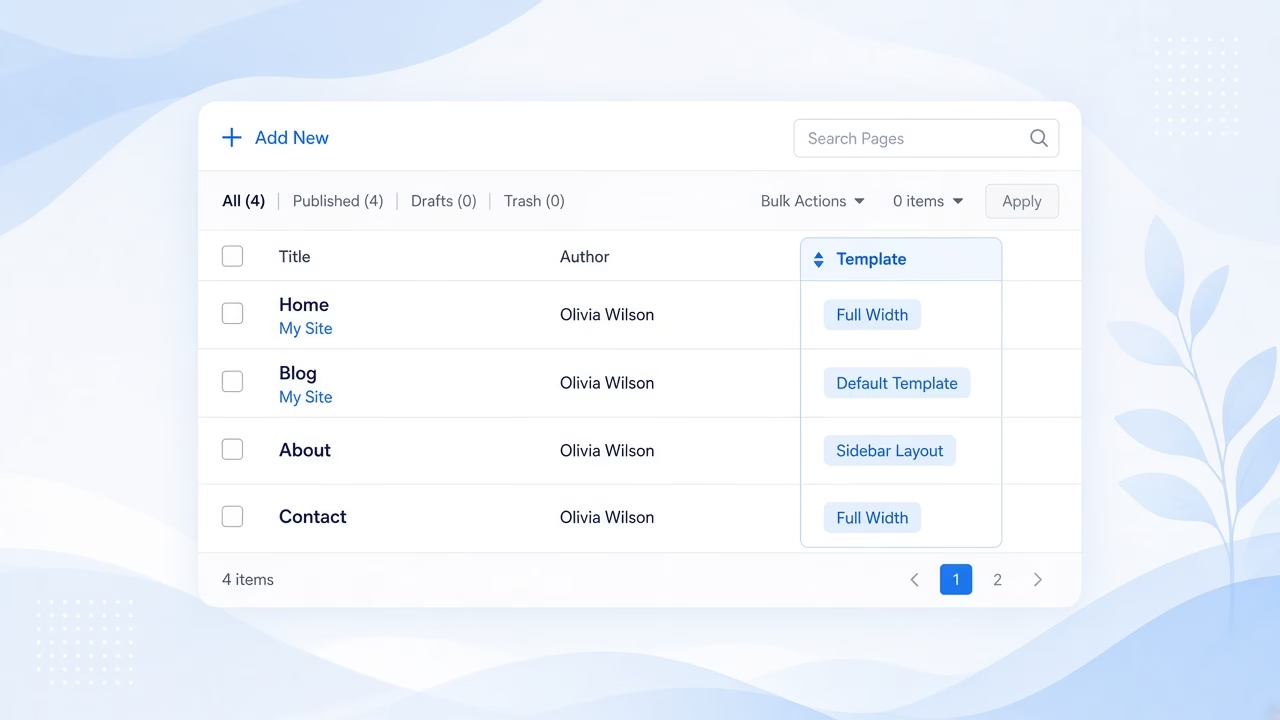
The default Pages screen shows title, author, and date… but not the template. That is fine on a small site. On a client site with landing pages, contact layouts, and full-width templates, it gets messy fast.
When you add page template column on admin table listings, you can scan everything at once. No more opening twenty edit screens just to confirm “Default Template” vs a custom one.
The PHP Snippet I Use
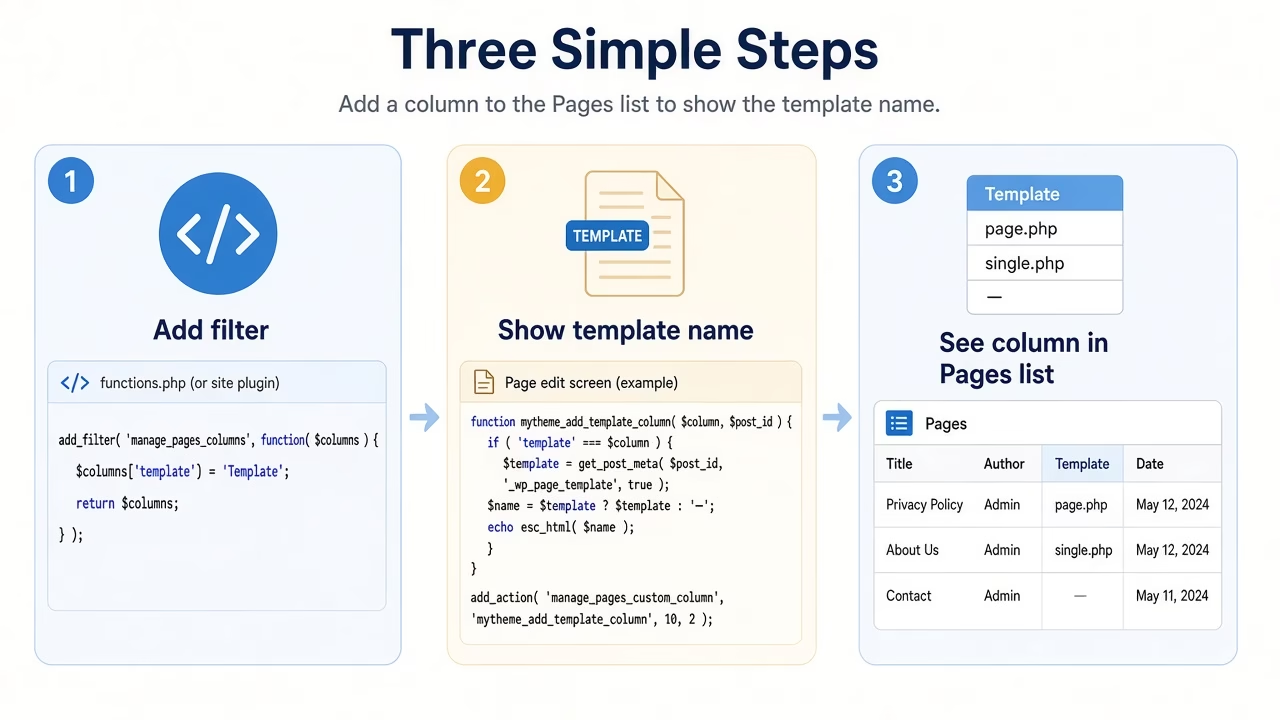
WordPress already gives us hooks for admin columns. I use manage_pages_columns to register a Template column, then manage_pages_custom_column to print the template name.
Drop this in your child theme functions.php, or keep it in a small personal plugin if you jump between themes a lot:
/*
 * Add Page Template Column on Admin Page Table
 */
function asiq_page_column_views( $defaults ) {
	$defaults['page-layout'] = __( 'Template' );

	return $defaults;
}
add_filter( 'manage_pages_columns', 'asiq_page_column_views' );

function asiq_page_custom_column_views( $column_name, $id ) {
	if ( $column_name === 'page-layout' ) {
		$set_template = get_post_meta( get_the_ID(), '_wp_page_template', true );
		if ( $set_template == 'default' ) {
			echo 'Default';
		}
		$templates = get_page_templates();
		ksort( $templates );
		foreach ( array_keys( $templates ) as $template ) {
			if ( $set_template == $templates[ $template ] ) {
				echo $template;
			}
		}
	}
}
add_action( 'manage_pages_custom_column', 'asiq_page_custom_column_views', 5, 2 );
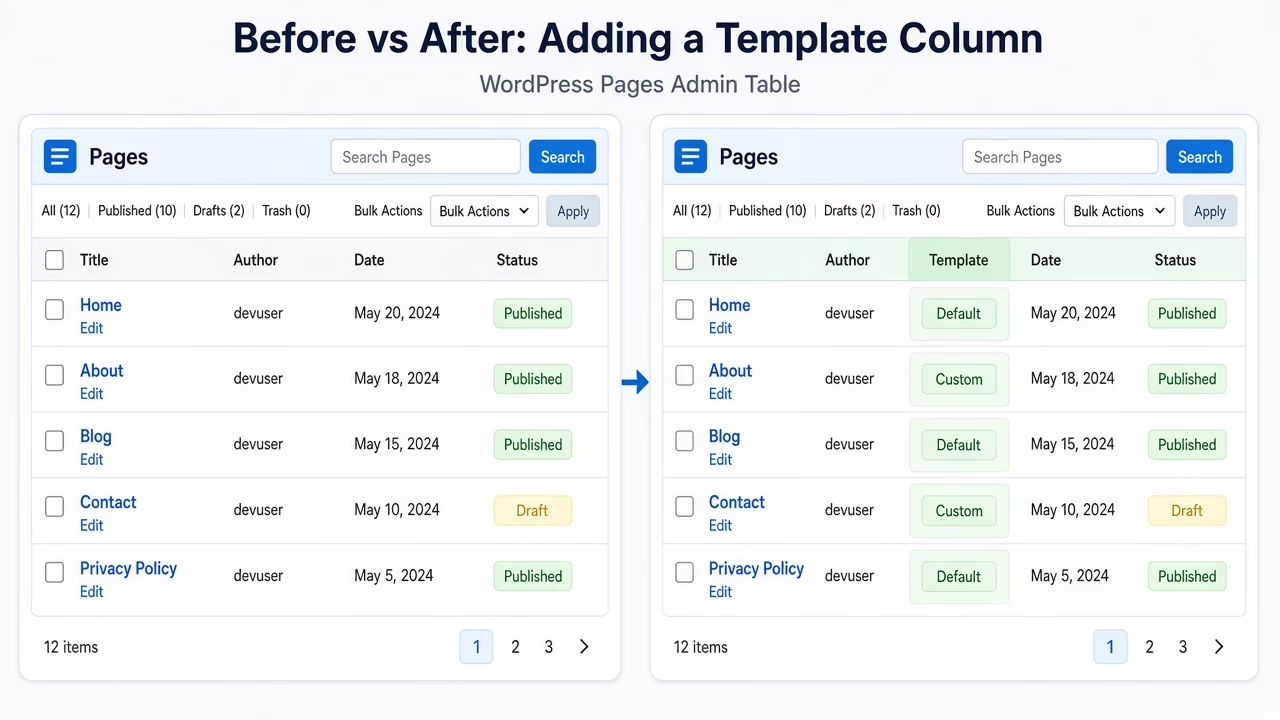
Save, refresh Pages → All Pages, and you should see a Template column. Default pages show “Default”. Custom templates show the friendly template name from your theme.
Prefer a Code Snippets Plugin?
I usually drop PHP like this into a child theme functions.php, but on sites where I do not want to touch theme files I use a code snippets plugin instead (WPCode, Code Snippets, or similar).
Create a new PHP snippet, paste the same code, set it to run on the site front end (or admin-only when the snippet is for wp-admin), and activate it. Behavior matches functions.php, and you can turn the snippet off later without digging through theme files.
If the snippet only affects the editor or admin screens, choose an admin/backend location so it does not load on every public page view.
If you want the official hook references, WordPress docs cover manage_pages_columns and manage_pages_custom_column.
A Few Notes From My Own Setup
I prefer a child theme for quick experiments. For code I reuse across sites, I move it into a tiny plugin so theme switches do not wipe the column.
Also, if you register templates from a plugin instead of the theme, this still works because it reads _wp_page_template. I wrote about registering templates that way here: add page template from plugin.
And if your admin feels noisy after adding columns, cleaning widgets helps too. I keep my dashboard lighter with this note on removing WordPress dashboard widgets.
Quick Check After You Add It
Once you add page template column on admin table screens, do a fast sanity check:
- Open Pages and confirm the Template column appears.
- Compare one custom-template page against its edit screen value.
- Clear cache if you use an admin/object cache layer and the column does not show yet.
- Keep the snippet out of parent theme files so updates do not erase it.
While you are cleaning the edit experience, this older tip on limiting posts to one category is another small admin quality-of-life win.
FAQ: Add Page Template Column on Admin Table
Does this work for posts too?
This snippet is for pages. Posts usually do not use page templates the same way, so I keep the filter on the pages list only.
Will it slow down the admin?
Not in any way I have noticed. It only reads template meta for the rows currently shown on the list table.
Can I rename the column?
Yes. Change the __( 'Template' ) label to whatever you prefer, like “Page Layout”.
What if a page shows blank?
That usually means the saved template file was removed from the theme. Open the page, pick Default or another available template, and update.
Common Mistakes When You Add Page Template Column on Admin Table
Editing the parent theme is the classic trap. One theme update later, the column disappears and you wonder what broke.
Another one: expecting the column on a custom post type screen. This code targets pages. CPT lists need their own manage_{post_type}_posts_columns hooks.
Last tip from my notes: do not echo unsanitized values from random meta. Here we only print known template labels from get_page_templates(), which keeps things predictable.
When I Usually Reach for This Snippet
I mostly add page template column on admin table screens when a site has more than a handful of custom layouts. Landing pages, thank-you pages, and “full width” templates are easy to mix up if the titles look similar.
It is also handy during handoff. When I send a site to a client or another developer, they can see template usage without digging through every page. That alone has saved me a few “which template is this?” messages.
If your theme ships many templates, consider sorting or naming them clearly in the theme files too. The admin column only helps if the template labels themselves make sense.
Another small admin/front UX tweak I reuse: remove the website field from the comment form.
Conclusion
If you want to add page template column on admin table views without another plugin, this filter-and-action pair is enough. It saved me a bunch of clicks, and it is still one of the first snippets I drop into new WordPress builds.