Show Meaningful Search Results in WordPress by displaying useful context around matching search terms, highlighting those terms, and making search pages feel more like modern search engines.
I recently became disgruntled with the way my blogs displayed search results. By default, WordPress blogs will show searched posts exactly as they might appear on an index or archives page: Typically as an extract, or perhaps even as the full entry.
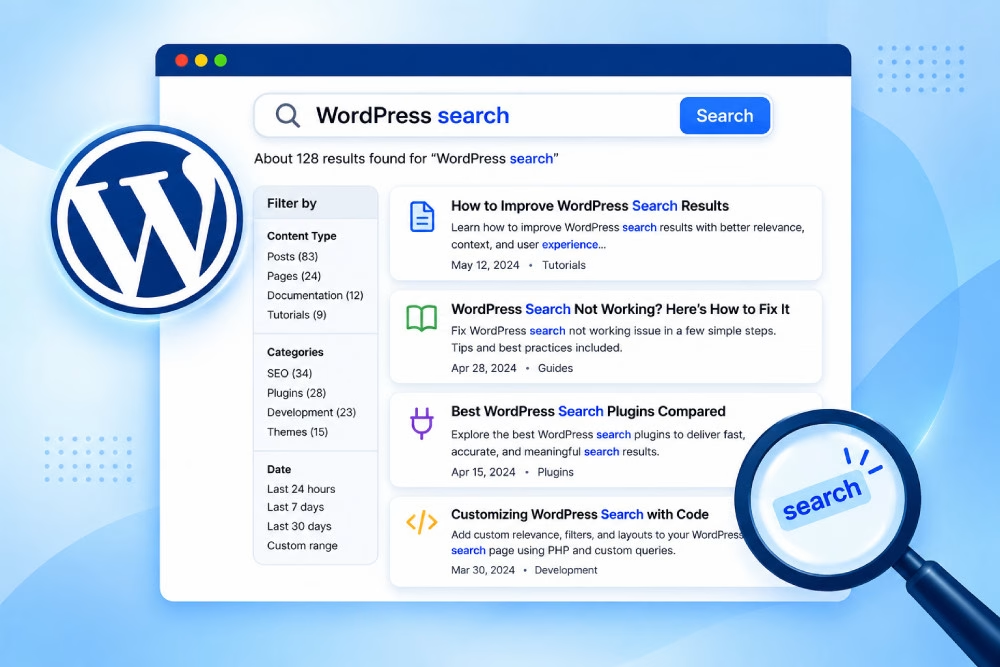
This doesn’t help at all if you’re looking for something in particular – It’s a much better idea to show the post within the context of the search query, as real search engines do. This approach helps visitors show meaningful search results that immediately reveal why each result matches their search.
This is a fairly easy thing to actually get working in WordPress. It’ll take just a couple of minutes and will make a big difference to blog visitors. Here’s how I did it.
How to Show Meaningful Search Results in WordPress
Creating a search result page
This search template is the foundation for pages that show meaningful search results. If your theme doesn’t already have one, you’ll need to construct a template within your theme that WordPress will use for search results. By default, WordPress will use your index.php template, so that’s usually a good place to start with, for normal themes.
Duplicate index.php, and call it search.php.
If you already have a search.php, you’re all set.
A note about theme engines
A special case here is for theme engines like Thematic (which I use for this blog). For Thematic, it’s a matter of un-hooking the provided search ‘loop’ from within your child theme, and replacing it with your own.
To show meaningful search results in my case, with a Thematic child theme, this takes place within functions.php. First, one needs an ‘init’ action, to remove the existing hooks.
function mytheme_init() {

remove_action('thematic_searchloop', 'thematic_search_loop');

}

add_action('init', 'mytheme_init', 10);
Then, it needs a replacement function to perform the search result loop:
function mytheme_search_loop() {

  while ( have_posts() ) : the_post(); ?>

    <div id="post-<?php the_ID() ?>" class="<?php thematic_post_class() ?>">

      <?php thematic_postheader(); ?>

      <div class="entry-content">

        <?php thematic_content(); /* We will replace this next */ ?>

      </div>

      <?php thematic_postfooter(); ?>

  </div><!-- .post -->


  <?php endwhile;

}

add_action('thematic_searchloop', 'mytheme_search_loop');
Some smarts to show context
What I did was replace the content of each post displayed with some code that constructs and displays some context around the search terms found in the post. This is the key step to show meaningful search results instead of simply displaying a generic excerpt.
In your search.php (or your search loop function, if you’re using a theme engine), look for the line that inserts the post content. Chances are, it’ll look something like <?php the_content('Keep reading'); ?>. In the case of the Thematic child theme above, it’s <php thematic_content(); ?>.
Delete that line, and replace it with the following:
<?php

// Configuration

$max_length = 400; // Max length in characters

$min_padding = 30; // Min length in characters of the context to place around found search terms


// Load content as plain text

global $wp_query, $post;

$content = (!post_password_required($post) ? strip_tags(preg_replace(array("/\r?\n/", '@<\s*(p|br\s*/?)\s*>@'), array(' ', "\n"), apply_filters('the_content', $post->post_content))) : '');


// Search content for terms

$terms = $wp_query->query_vars['search_terms'];

if ( preg_match_all('/'.str_replace('/', '\/', join('|', $terms)).'/i', $content, $matches, PREG_OFFSET_CAPTURE) ) {

    $padding = max($min_padding, $max_length / (2*count($matches[0])));


  // Construct extract containing context for each term

  $output = '';

  $last_offset = 0;

  foreach ( $matches[0] as $match ) {

    list($string, $offset) = $match;

    $start  = $offset-$padding;

    $end = $offset+strlen($string)+$padding;

    // Preserve whole words

    while ( $start > 1 && preg_match('/[A-Za-z0-9\'"-]/', $content{$start-1}) ) $start--;

    while ( $end < strlen($content)-1 && preg_match('/[A-Za-z0-9\'"-]/', $content{$end}) ) $end++;

    $start = max($start, $last_offset);

    $context = substr($content, $start, $end-$start);

    if ( $start > $last_offset ) $context = '...'.$context;

    $output .= $context;

    $last_offset = $end;

  }


  if ( $last_offset != strlen($content)-1 ) $output .= '...';

} else {

  $output = $content;

}


if ( strlen($output) > $max_length ) {

  $end = $max_length-3;

  while ( $end > 1 && preg_match('/[A-Za-z0-9\'"-]/', $output{$end-1}) ) $end--;

  $output = substr($output, 0, $end) . '...';

}


// Highlight matches

$context = nl2br(preg_replace('/'.str_replace('/', '\/', join('|', $terms)).'/i', '<strong>$0</strong>', $output));

?>


<p class="search_result_context">

  <?php echo $context ?>

</p>

<p>

  <a href="<?php the_permalink() ?>" rel="bookmark">Read this entry</a>

</p>
Save, and search for something on your blog — you should see contextual search results, now. Search terms will appear in context and be highlighted, making it easier for visitors to understand why each result is relevant.
One final tweak: Results per page
WordPress has a setting for the number of posts to show per page. You may want to use a different number of search results per page, given that each result is now shorter than a full post.
To override this ‘posts per page’ setting, you’ll want to find the line just before the search loop. It’ll probably look like <?php if (have_posts()) : ?>, or, if your theme doesn’t bother with that part, <?php while ( have_posts() ) : the_post(); ?>.
Before that line, insert the following:
<?php global $wp_query; $v = $wp_query->query_vars; $v['posts_per_page'] = 10; query_posts($v); ?>This will take the current query (including the search phrase, page number, etc.), add a ‘posts per page’ parameter, then pass it back to WordPress’s query engine.
With these changes, your WordPress search page can show meaningful search results by combining relevant context, highlighted search terms, and a focused number of results per page. The result is a search experience that feels much closer to what visitors expect from modern search engines.
Want more simple yet powerful WordPress tweaks like this? Explore more tips and tricks on Our Blog